Shipping cost invoicing
Invoicing customers for shipping after delivery ensures accurate charges based on real-time shipping factors like distance, weight, and method.
In Odoo, shipping costs can be invoiced in two ways:
- Agree with the customer on a fixed cost and
include it in the sale order. Invoice shipping costs to the customer post-delivery, reflecting the actual expenses incurred by the business.
Configuration
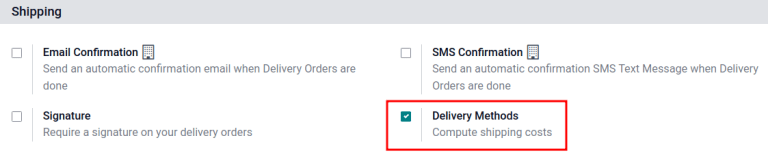
To set prices to delivery methods, go to Inventory app ‣ Configuration ‣ Settings. Under the Shipping section, enable the Delivery Methods feature. Then, click Save.
Add shipping method
Next, configure the the price of each delivery method by going to Inventory app ‣ Configuration ‣ Shipping Methods and click the Create button. Doing so opens a form to provide details about the shipping provider, including:
Shipping Method(required) the name of the delivery method (e.g. [flat-rate shipping], [same day delivery], etc.).Provider(required): choose the delivery service, like FedEx, if using a third-party carrier Ensure the integration with the shipping carrier is properly installed and select the provider from the drop-down menu.
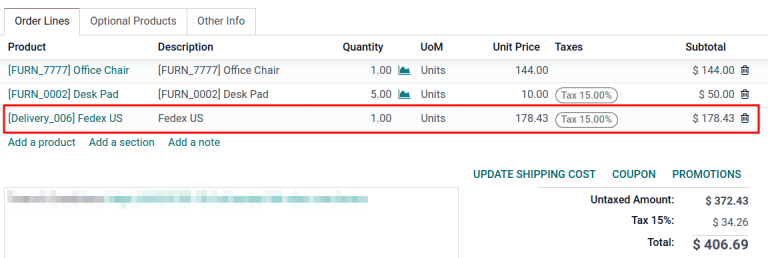
On the sales order, the delivery product appears in the Order Lines tab, with the Unit Price set as the shipping cost calculated in the Add a shipping method pop-up window. :::
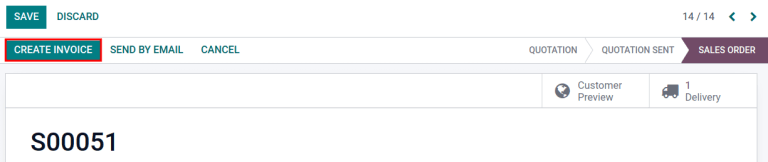
Finally, after the product is delivered, click the Create invoice button, and an invoice is created that includes the shipping cost that was added earlier.
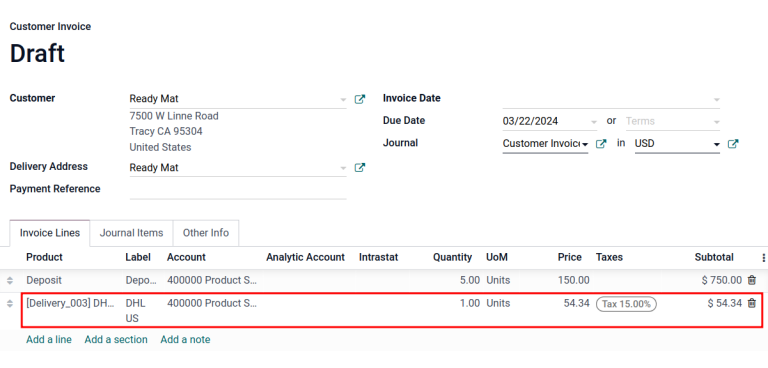
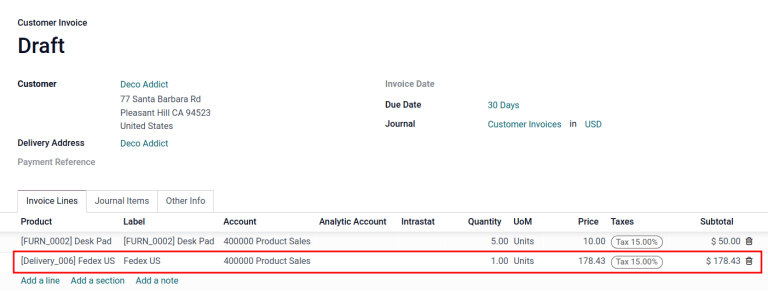
Then, click the Create and View Invoice button, and a draft invoice is generated, with the shipping cost included in the Invoice Lines tab.
Invoice real shipping costs
To modify the invoice to reflect the real cost of shipping, follow the steps above to create an invoice with a delivery product with a Unit Price of zero.
Then, on a draft invoice, modify the Unit Price to reflect the real shipping cost. Finally, invoice the customer the adjusted shipping cost by clicking Confirm.