Delivery methods
When activated in Odoo, the Delivery Methods setting adds the option of calculating the cost of shipping on sales orders and e-commerce shopping carts.
When integrated with a third-party carrier , shipping prices are calculated based on the carrier's pricing information.
Configuration
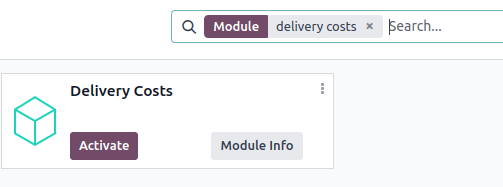
To calculate shipping on sales orders and e-commerce, the Delivery Costs module must be installed. To do so, navigate to the Apps application from the main Odoo dashboard.
Then, remove the Apps filter, and type in [Delivery Costs] in the Search... bar. After finding the Delivery Costs module, click Activate to install it.
Add shipping
Shipping methods can be added to sales orders in the form of delivery products, which appear as individual line items. First, navigate to the desired sales order by going to Sales app ‣ Orders ‣ Orders.
On the sales order, click the Add shipping button, which opens the Add a shipping method pop-up window. Then, choose a Shipping Method from the list.
The Total Order Weight is pre-filled based on product weights (that are defined in the Inventory tab for each product form). Edit the field to specify the exact weight, and then click Add to add the shipping method.
TIP
The amount defined in Total Order Weight overwrites the total product weights defined on the product form.
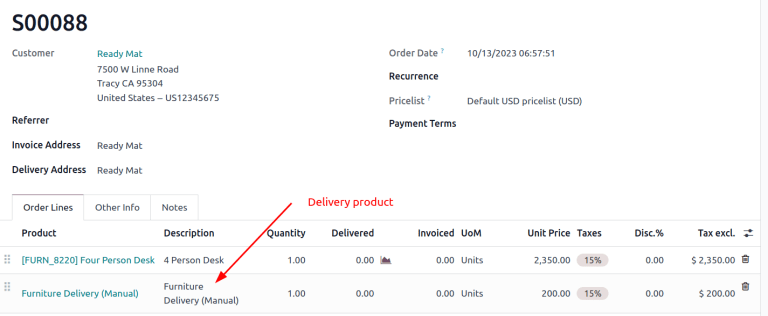
The shipping cost is added to the sales order line as the Delivery Product detailed on the shipping method form.
TIP
[Furniture Delivery], a delivery product with a fixed rate of [$200], is added to sales order [S00088].
Delivery order
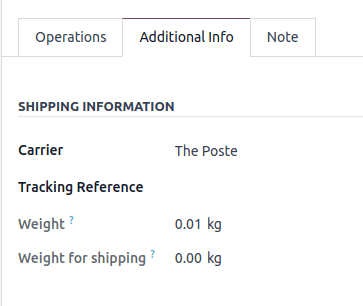
The shipping method added to the sales order is linked to the shipping carrier details on the delivery order. To add or change the delivery method on the delivery itself, go to the Additional Info tab and modify the Carrier field.
::: setup_configuration/new_delivery_method setup_configuration/third_party_shipper setup_configuration/labels setup_configuration/bpost setup_configuration/dhl_credentials setup_configuration/envia_shipping setup_configuration/fedex setup_configuration/sendcloud_shipping setup_configuration/starshipit_shipping setup_configuration/ups_credentials setup_configuration/zebra setup_configuration/cancel setup_configuration/invoicing setup_configuration/label_type setup_configuration/multipack setup_configuration/print_on_validation setup_configuration/dispatch :::